The first time I generated an AI CEO portrait, I expected something clean and usable. What I got instead was a face that technically had my features but somehow looked like a distant cousin — slightly sharper jaw, slightly different eyes, close enough to be unsettling. That’s when it clicked: the most important line in any CEO-style portrait prompt isn’t the suit or the lighting. It’s identity preservation. Get that wrong, and nothing else matters.
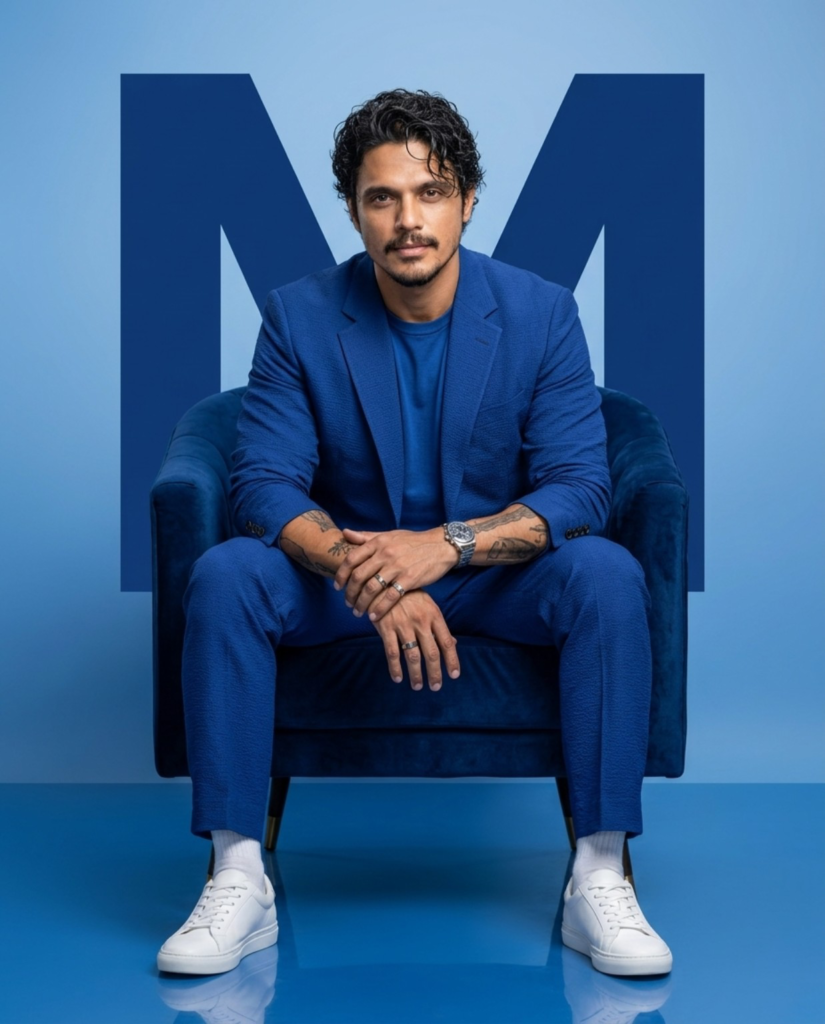
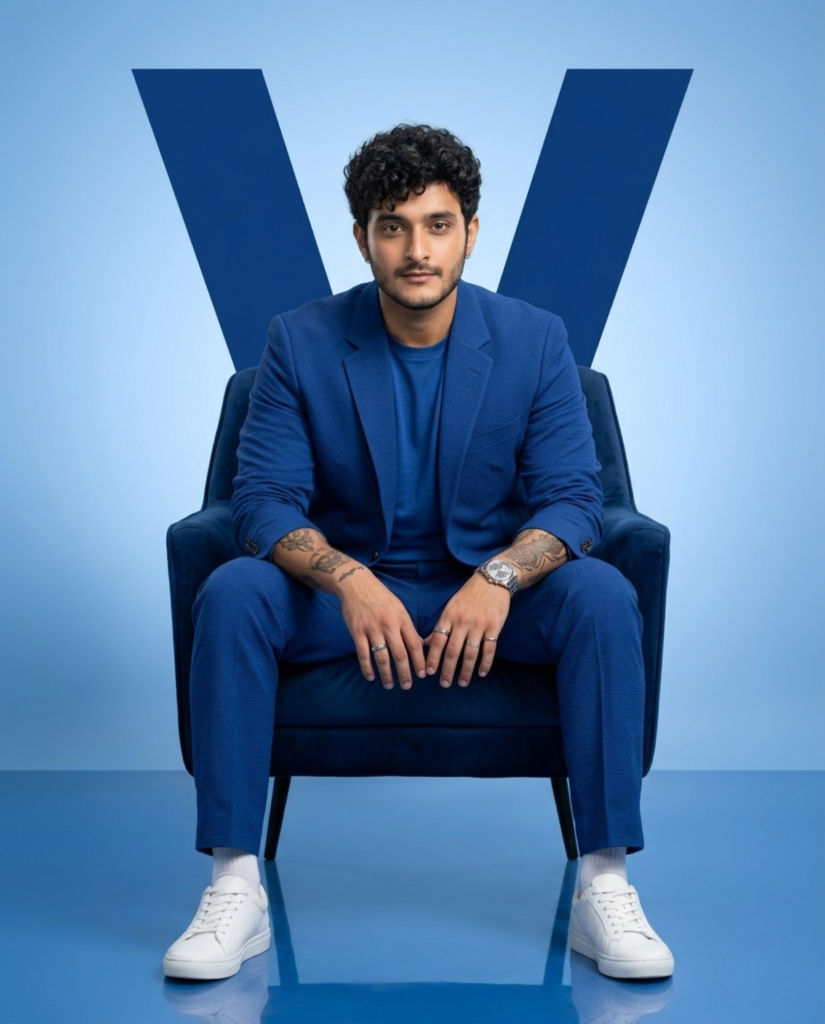
Since then, I’ve spent a lot of time refining this exact prompt style — the one you’ve probably seen flooding LinkedIn: blue velvet chair, gradient blue backdrop, sharp business suit, oversized initial glowing behind the subject. It’s become the go-to look for a professional AI headshot, and once you understand why each piece of the prompt exists, you can recreate it reliably instead of getting fifteen unusable versions of your own face.
This guide breaks down the full AI portrait prompt structure behind this CEO-style portrait — what to include, why it works, and how to adapt it for your own LinkedIn AI profile photo, website, or personal branding photography.
Why Identity Preservation Comes First in Any AI CEO Portrait
Most AI-generated portraits fail at the one job they’re supposed to do — actually look like the person. The jawline sharpens, the eyes shift shape, the skin gets smoothed into someone else’s skin. For a personal branding photo, that’s not a small glitch — it defeats the entire purpose.
That’s why identity preservation should be the opening instruction in your AI portrait prompt, explicitly locking in:
- Facial structure and proportions
- Skin tone
- Hairstyle and hairline
- Eyes and eyebrows
- Nose, lips, and jawline
- Beard or mustache, if present
- Age and expression
Once identity is locked in, everything else in the CEO-style portrait — suit, lighting, background — can be layered on top without the final image drifting away from your actual face.
The Premium Business Look Behind a Professional AI Headshot
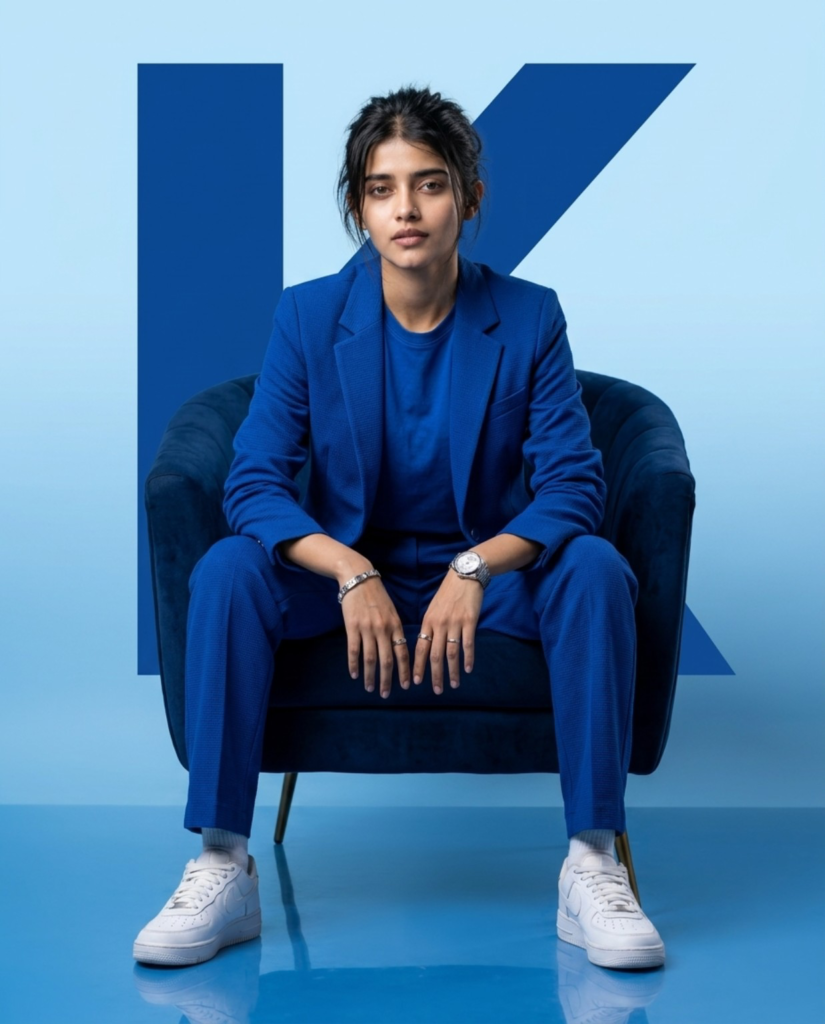
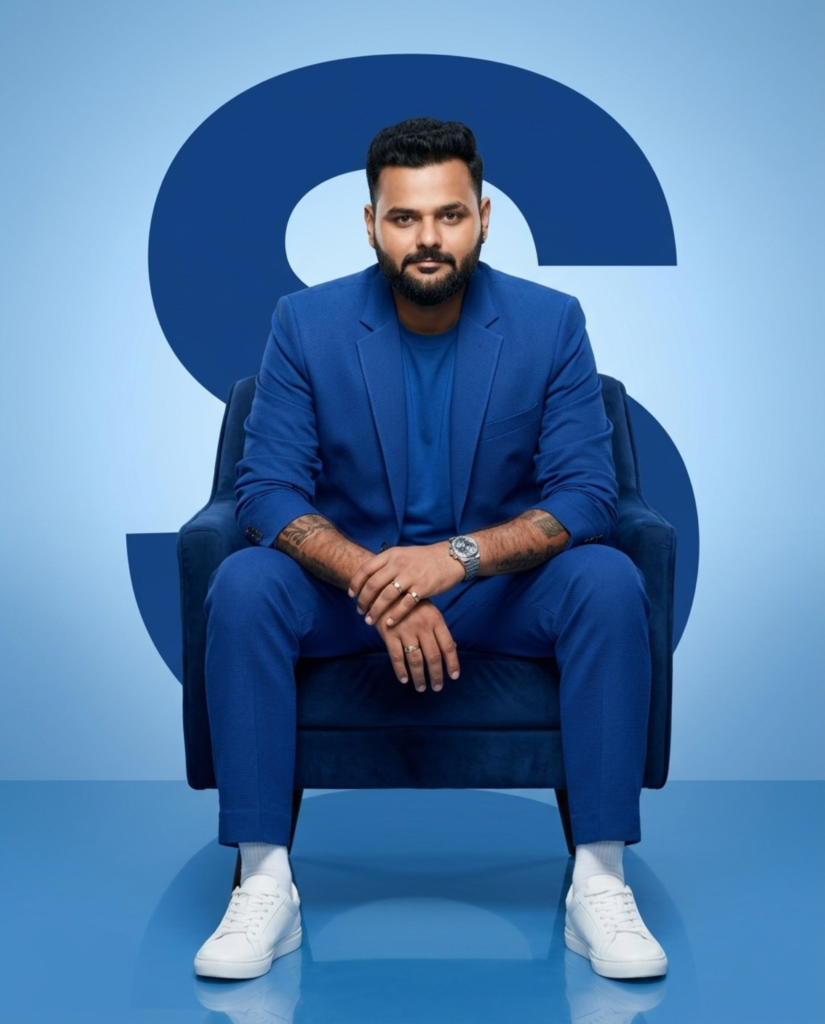
The styling choices here are built for a timeless, executive feel rather than anything trend-chasing. A textured royal blue suit paired with a plain crew-neck T-shirt (instead of a shirt and tie) has become the default for founders, entrepreneurs, and creators building a personal brand, because it reads modern and approachable without tipping into overly formal. White sneakers finish the look, adding the relaxed edge you’ll notice across business magazine covers and conference headshots.
Why Blue Dominates a CEO-Style Portrait
Colour choice isn’t accidental in a professional AI headshot. Blue reads as trustworthy, intelligent, stable, and authoritative — which is exactly why so many corporate brands lean on it. This AI portrait prompt layers blue across several elements at once:
- Royal blue suit
- Navy velvet chair
- Soft blue gradient background
- Oversized dark blue initial letter
- Glossy, reflective blue floor
Together, these create a cohesive, premium palette without competing for attention — the eye stays locked on the subject, which is exactly the point of good personal branding photography.
The Oversized Letter Behind the Subject
A detail that instantly separates a generic AI headshot from a proper CEO-style portrait is the giant initial placed behind the subject. Whether it’s your name’s first letter or your brand’s, it fills negative space, adds visual balance, and gives the shot a personalised, campaign-style composition. Small addition, big impact.
Lighting: What Separates Realistic From Obviously-AI
Lighting usually decides whether an AI portrait prompt produces something believable or something that screams “generated.” Include these specifics:
- Soft, cinematic studio lighting
- HDR rendering
- Hyper-realistic skin texture
- Editorial-style shadow work
- Luxury commercial photography finish
Soft lighting cuts harsh shadows while keeping facial features well-defined — the exact combination that gives a professional AI headshot its “shot in a real studio” quality.
Why Camera Settings Belong in Your AI Portrait Prompt
It’s tempting to skip camera specifications, but including them consistently improves realism in a CEO-style portrait. This prompt specifies:
- 85mm lens
- Eye-level composition
- f/2.8 aperture
- ISO 100
- Vertical 4:5 ratio
An 85mm lens is the classic portrait choice because it minimises distortion and flatters facial features naturally, while the shallow depth of field separates subject from background without looking artificial. These technical cues teach the AI to behave like an actual camera instead of producing flat digital art.
Body Language Matters as Much as the Suit
Posture carries a surprising amount of weight in a professional AI headshot. Instead of a stiff, straight-on pose, have the subject sit naturally — elbows resting on the thighs, hands relaxed together. This reads as confident and approachable rather than staged, and it’s one of the small details that makes the final image feel human instead of synthetic.
Small Luxury Details That Sell the Shot
Understated accessories do a lot of work in personal branding photography:
- Silver wristwatch
- Rings
- Forearm tattoos, where applicable
- White socks and white sneakers
These add personality without pulling focus from the face — useful for entrepreneurs, creators, and influencers building a recognisable personal brand.
Don’t Skip the Negative Prompt
A strong negative prompt is often the difference between a clean CEO-style portrait and a noticeably broken one. Without it, AI models commonly produce extra fingers, deformed hands, blurry faces, duplicate limbs, plastic-looking skin, cropped feet, low-resolution artifacts, watermarks, random text, or cartoon-like rendering. Explicitly telling the AI what to avoid is quality control built directly into the prompt.
Where This AI CEO Portrait Style Works Best
This professional AI headshot style is versatile enough for:
- LinkedIn AI profile photos
- Business and personal websites
- Startup founder branding
- Company team pages
- Portfolios and speaking engagement bios
- Book covers and magazine features
- Instagram personal branding
- Professional advertisements
Because the look is clean rather than trend-driven, it holds up across almost every professional platform without feeling dated in six months.
Tips for Getting Better Results From Your AI Portrait Prompt
- Use a clear, high-resolution, front-facing reference photo
- Choose reference images with good, even lighting
- Place identity-lock instructions at the very start of the prompt
- Always specify camera settings for realistic depth and perspective
- Keep the background clean and minimal so focus stays on the subject
- Include a detailed negative prompt to reduce common AI artifacts
- Generate a few variations and pick the strongest composition
Frequently Asked Questions
1. What is a CEO-style AI portrait?
It’s an AI-generated professional photo styled to resemble a high-end executive headshot — typically featuring a business suit, studio lighting, and a clean branded background, while preserving the subject’s real facial identity.
2. Can AI portraits be used as a real LinkedIn profile photo?
Yes, as long as the AI portrait prompt prioritises identity preservation. If the face is accurately preserved, the result is generally indistinguishable from a professionally shot headshot.
3. Why does my AI headshot not look like me?
This usually happens when the prompt doesn’t explicitly lock in facial identity details like structure, skin tone, and expression. Adding clear identity-preservation instructions at the start of the prompt fixes this in most cases.
4. What’s the best reference photo to use for an AI CEO portrait?
A clear, high-resolution, front-facing photo with even lighting works best. Avoid extreme angles, heavy shadows, or filters on the reference image.
5. Do I need a negative prompt for a professional AI headshot?
Yes. A negative prompt prevents common issues like distorted hands, blurry faces, extra fingers, and cartoon-like rendering, all of which are more common without one.
6. Which AI tools work best for this CEO-style portrait prompt?
Most modern AI image generators that support detailed text prompts and reference image uploads can produce this style, though results vary depending on how well the tool handles facial identity preservation.
Final Thoughts
The gap between an average AI-generated portrait and a premium, commercial-quality CEO-style portrait almost always comes down to how the prompt is written. A well-structured AI portrait prompt doesn’t just describe a suit or a background — it controls identity preservation, lighting, camera behaviour, styling, and realism all at once.
If you’re ready to try it yourself, start with the identity-lock instructions, layer in the styling and lighting details from this guide, and don’t skip the negative prompt. Generate a few versions, compare them, and keep the one that looks unmistakably like you — just photographed better than you ever have been.