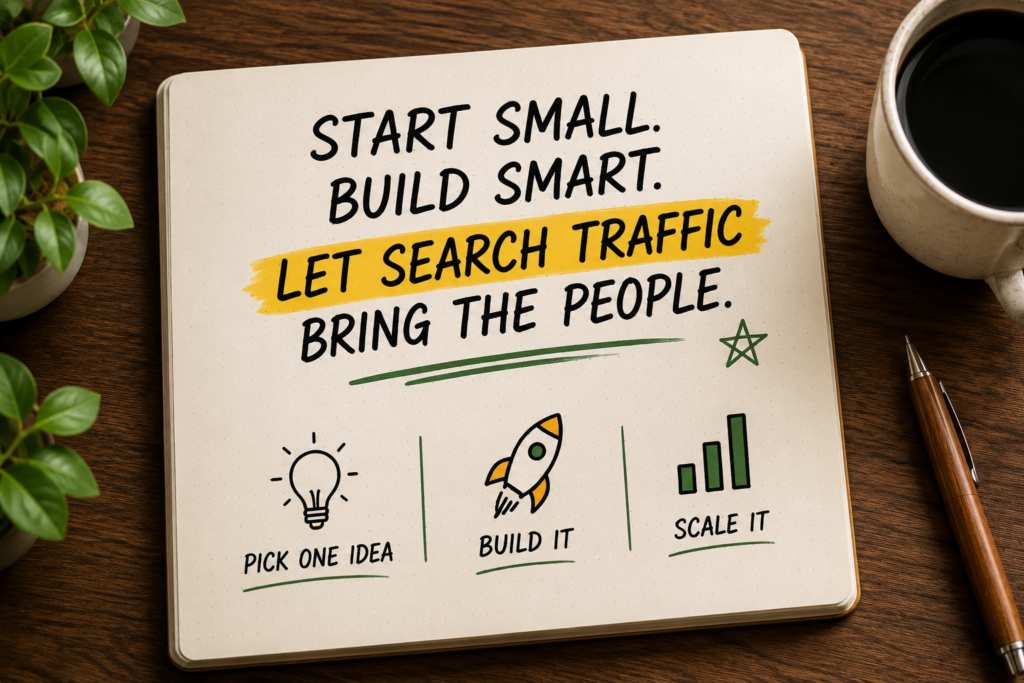
Most digital product advice assumes you already have an audience. Build the following, blog for a year, then launch a product. That’s backwards — and it’s why most people never start.
These three ideas rely on marketplaces and search traffic (Etsy, Gumroad, Pinterest) instead of a personal following. They’re some of the cheapest ideas to start — most cost $0 — and they’re built almost entirely from things you may have already made for yourself.
1. Notion / Airtable / ClickUp Template Business
What it is: Designing and selling ready-made templates — trackers, dashboards, planners — for tools like Notion, Airtable, and ClickUp.
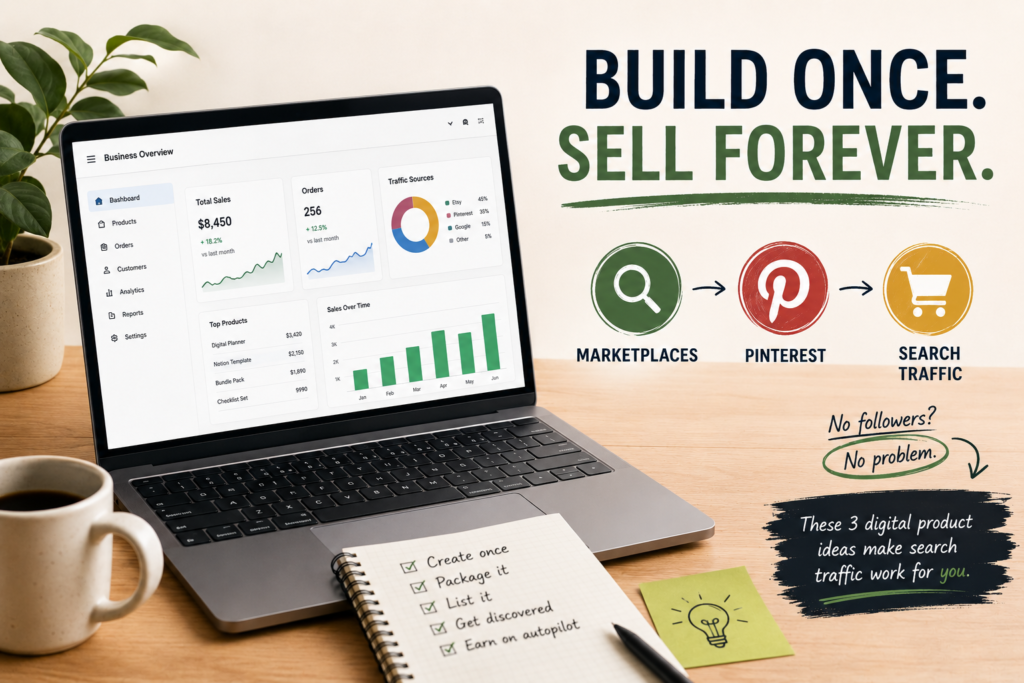
Why almost nobody talks about it: It looks “too simple” to be a real business, so big creators skip it for flashier ideas. But the market for productivity templates has quietly grown every year.
Difficulty: 3/10 Startup Cost: $0 Time Required: 10–15 hours per template Skills Needed: Organization, basic design sense, familiarity with Notion or Airtable Potential Monthly Earnings: Depends entirely on distribution and niche chosen; ranges from pocket money to a solid side income for well-marketed template shops.
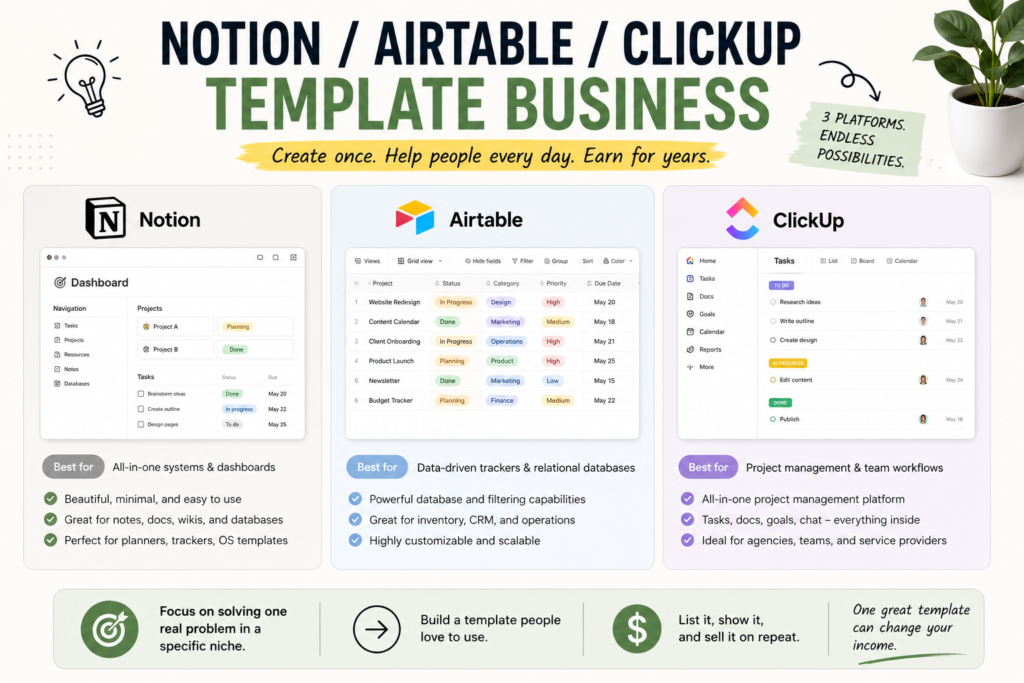
Who should try it: People who already use Notion/Airtable heavily for their own life or work.
Step-by-step guide:
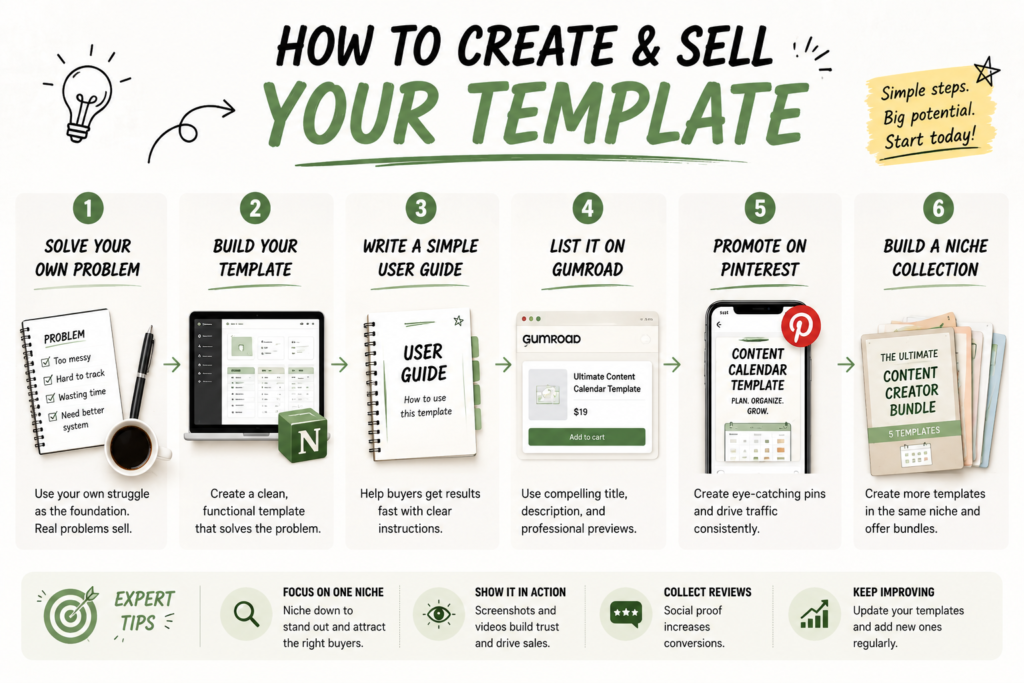
- Solve your own organizational problem first (budget tracker, content calendar, CRM).
- Polish it into a clean, duplicate-ready template.
- Write a short guide explaining how to use it.
- List it on Gumroad or your own simple site.
- Post before/after screenshots on Pinterest and Instagram Reels.
- Build 3–5 templates in one niche instead of one-offs across many niches.
Tools needed: Notion, Airtable, Gumroad, Canva for previews
Free resources: Notion’s own template gallery for inspiration, YouTube “Notion setup” tutorials, r/Notion community
Common mistakes: Copying existing templates instead of solving a real problem; underpricing; not showing the template in use visually.
How to get your first customer: Share a free “lite” version in relevant Reddit/Facebook communities, then upsell the full version.
Scaling strategy: Bundle templates into a niche “system” (e.g., a full solo-business OS) and raise the price as you add proof and testimonials.
Real-world example (hypothetical): A student builds a simple “exam study tracker” in Notion for personal use, shares it in a study-tips Facebook group, and starts getting requests to buy it — eventually turning it into a small template shop.
Pros: Zero cost, sellable forever once built, easy to expand Cons: Visual marketing matters a lot; takes time to find the right niche
Expert tip: Niche down hard — “Notion template for wedding planners” beats “Notion productivity template” every time.
2. Faceless Digital Product Bundling
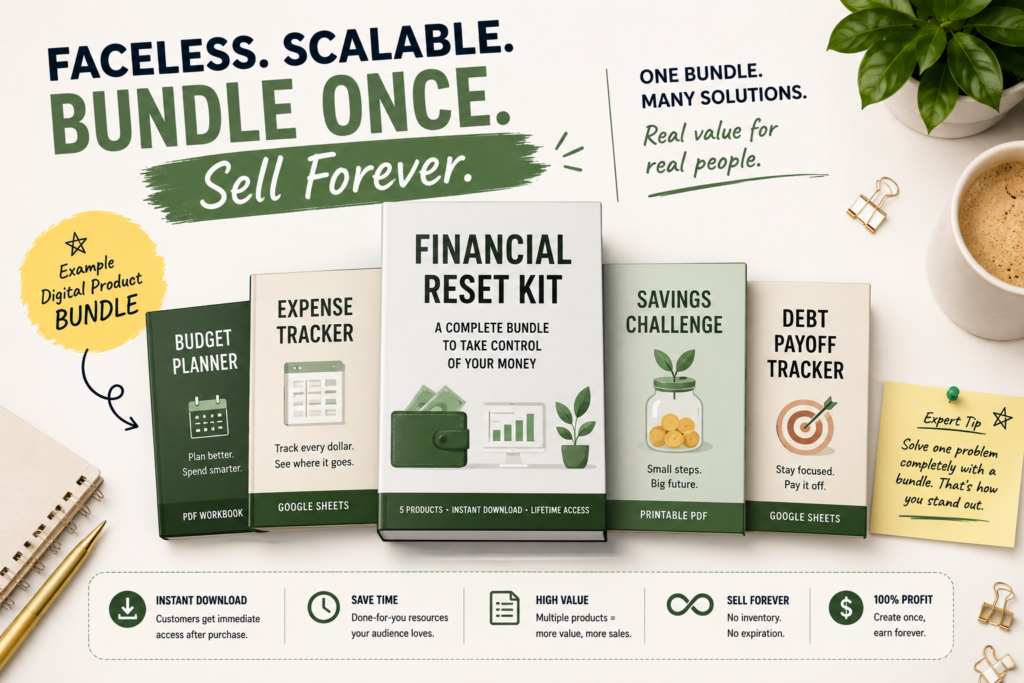
What it is: Curating and repackaging your own original digital content (guides, checklists, mini-courses) into themed bundles sold as one product, without ever showing your face or building a personal brand.
Why almost nobody talks about it: Most “digital products” advice assumes you need a big following first. Bundling lets you sell without an audience by riding on marketplaces and SEO instead.
Difficulty: 3/10 Startup Cost: $0 Time Required: 10–20 hours to build a first bundle Skills Needed: Organization, basic writing or design, packaging sense Potential Monthly Earnings: Varies widely; depends on niche demand and marketplace visibility, not follower count.
Who should try it: Introverts, people uncomfortable with personal branding, anyone with existing notes/guides sitting unused.
Step-by-step guide:
- Look at content you’ve already created for yourself (study notes, checklists, guides).
- Pick a tight theme and bundle 3–5 related pieces together.
- Design simple, clean covers with Canva.
- List on Etsy or Gumroad with strong SEO-optimized titles.
- Use Pinterest pins to drive organic traffic instead of social media presence.
- Reinvest early earnings into more bundles in the same niche.
Tools needed: Canva, Gumroad, Etsy, Pinterest
Free resources: Etsy’s SEO guide for digital products, Pinterest’s own creator guides
Common mistakes: Random, unrelated bundles; ignoring keyword research on Etsy; poor cover design that looks unprofessional.
How to get your first customer: Etsy’s internal search traffic is often enough on its own if titles and tags are well-researched — no following required.
Scaling strategy: Once one bundle sells, replicate the format across adjacent niches.
Real-world example (hypothetical): Someone bundles their personal budgeting spreadsheets and printable trackers into one “financial reset kit,” lists it on Etsy with well-researched keywords, and gets steady organic sales without any social media presence.
Pros: No audience required, reusable content, works well with Etsy/Pinterest SEO Cons: Discovery depends heavily on keyword research skill
Expert tip: Etsy digital products live and die by title and tag research — spend real time here.
3. Notion-Based Client Portals for Freelancers (Meta-Service)
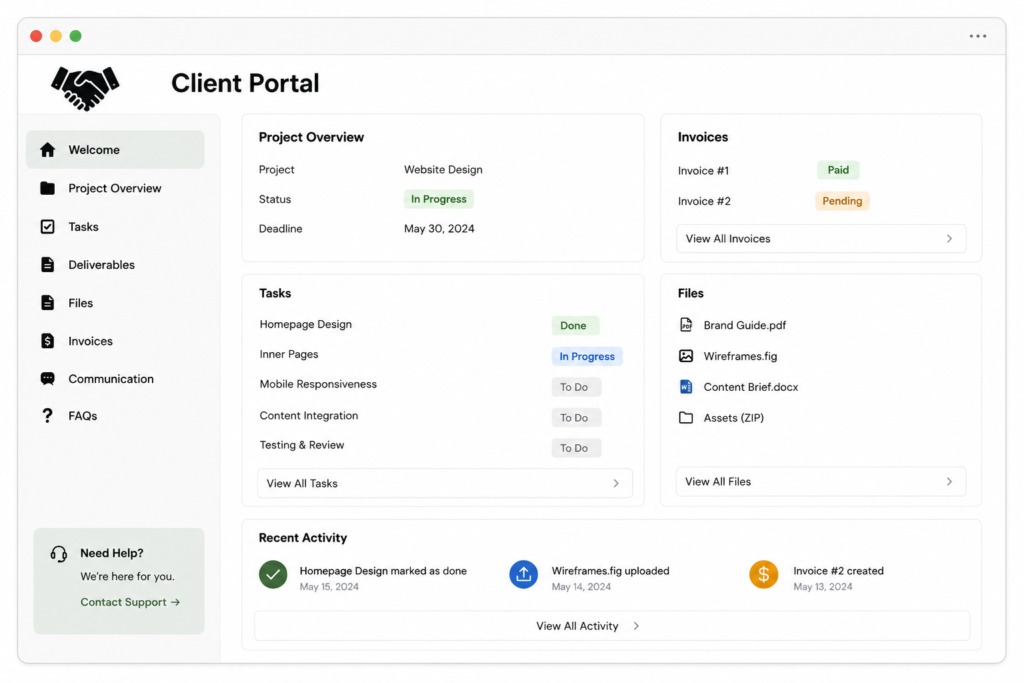
What it is: Building and selling ready-made client-portal templates and setups specifically for freelancers and small agencies (project tracking, invoicing links, deliverables — all in one branded Notion page).
Why almost nobody talks about it: It’s a “service for service providers” niche, which most creators overlook because it feels like a small, indirect market — even though nearly every freelancer struggles with client organization.
Difficulty: 3/10 Startup Cost: $0 Time Required: 10–15 hours to build a strong template system Skills Needed: Notion design skills, understanding of freelancer workflows Potential Monthly Earnings: Depends on distribution within freelancer communities and pricing model (one-time vs. setup service).
Who should try it: Freelancers or ex-freelancers who understand common client-management pain points.
Step-by-step guide:
- Build your own clean client portal system in Notion first, for real use.
- Turn it into a duplicate-ready template with clear setup instructions.
- Offer both a DIY template (lower price) and a “done for you” setup service (higher price).
- Share it in freelancer-focused communities (Reddit, Facebook, Discord).
- Use screenshots/short videos showing the portal in action.
- Gather testimonials from early freelancer buyers.
Tools needed: Notion, Loom for demo videos, Gumroad
Free resources: Notion’s own template gallery, freelancer community forums for target audience insight
Common mistakes: Making it too generic instead of freelancer-specific; not offering a “done for you” upsell; weak visual presentation.
How to get your first customer: Share a free simplified version in freelancer Facebook/Reddit groups and upsell the full system.
Scaling strategy: Expand into industry-specific versions (portal for photographers, portal for consultants) at premium pricing.
Real-world example (hypothetical): A freelance designer builds a Notion client portal for their own work, shares it in a freelancer community after people ask about it, and turns it into a small template-plus-setup-service business.
Pros: Low cost, reusable, appeals to a community that’s easy to find online Cons: Competitive within Notion template space specifically, so differentiation matters
Expert tip: Sell the “done for you” setup as a premium tier — many freelancers will pay extra to skip the setup work entirely.
Final Thoughts
Every idea above starts with something you may have already built for yourself — a tracker, a checklist, a system. The work isn’t creating the content from scratch; it’s polishing what already exists into something duplicate-ready and finding the right marketplace or community to show it to.
Pick one, build it in the next two weeks, and let search traffic do the audience-building for you.