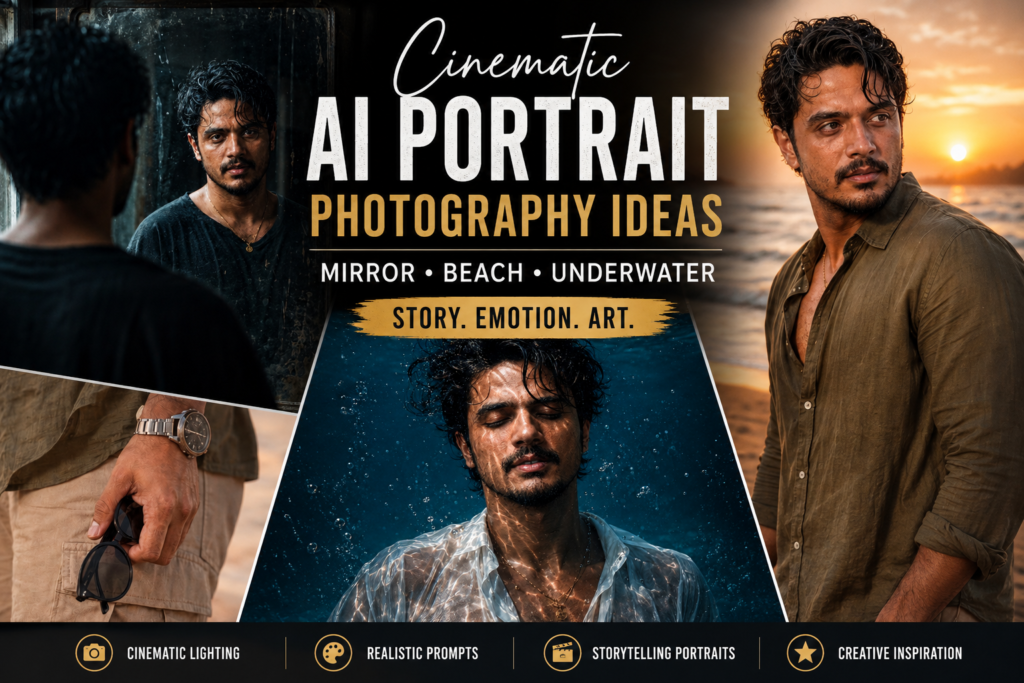
Artificial Intelligence has completely transformed the way we create photos. Just a few years ago, creating magazine-quality portraits required an expensive DSLR camera, professional lighting, editing software, and years of photography experience. Today, with the help of AI image generators, anyone can create breathtaking cinematic portraits in just a few minutes.
However, there is one major problem that almost every AI user faces.
You upload your photo, write a prompt, and wait for the result. Instead of getting an enhanced version of yourself, the AI creates a completely different person. Your face changes, your facial features become unrealistic, your skin looks overly smooth, and the final image no longer resembles you.
If you’ve experienced this, you’re definitely not alone.
The secret behind high-quality AI portraits isn’t the AI tool itself—it’s the prompt. A well-crafted prompt tells the AI exactly what to enhance and, more importantly, what not to change.
After experimenting with hundreds of prompt variations across multiple AI image generators, I discovered three prompts that consistently deliver cinematic, professional-quality portraits while preserving your original identity. These styles are currently among the most popular trends on Instagram, Pinterest, TikTok, and other social media platforms.
In this article, I’ll walk you through these three viral AI photo styles, explain why they work so well, and share tips to help you achieve the best possible results.
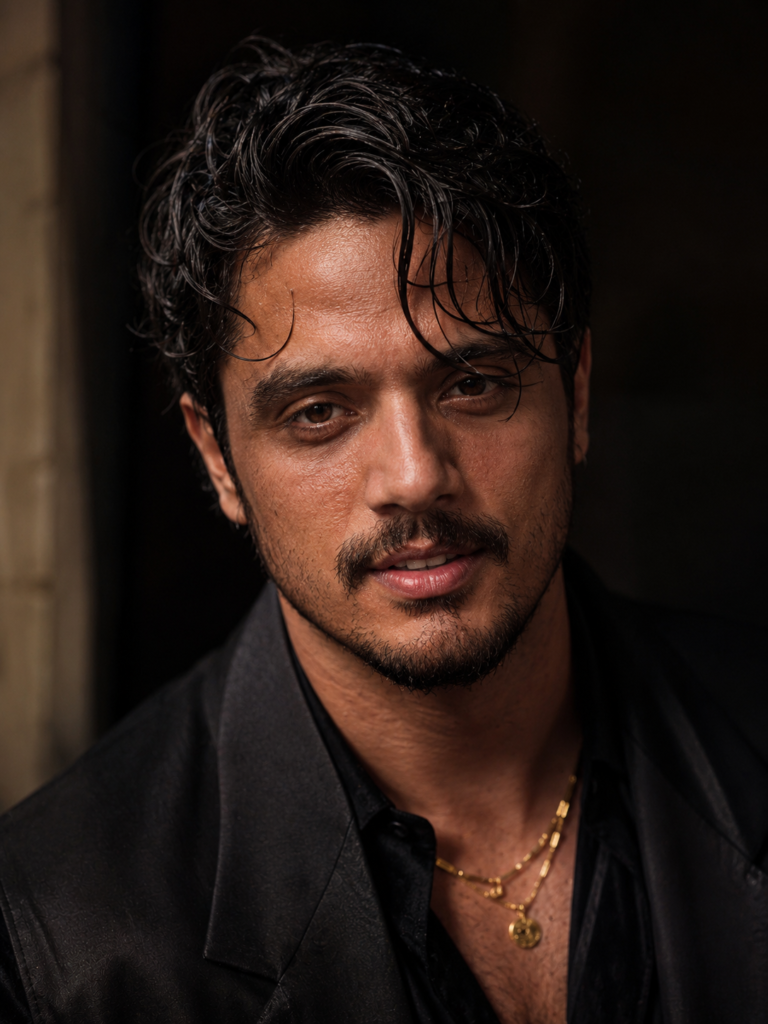
Prompt Style 1: Ultra-Realistic Fashion Portrait
This style works particularly well for creators who want professional profile pictures, Instagram content, YouTube branding, LinkedIn profiles, or personal portfolio images.
The biggest advantage is that the portrait still looks like you—just photographed by a world-class fashion photographer.
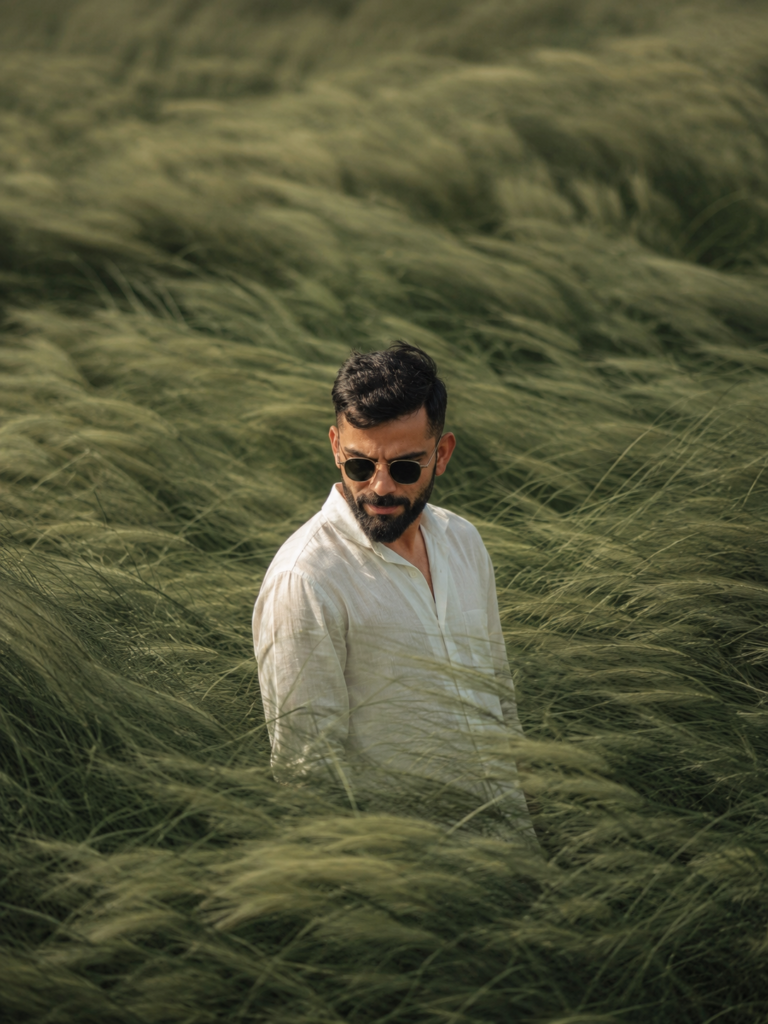
Prompt Style 2: Cinematic Grass Field Portrait
Unlike many AI-generated landscapes that feel fake, this prompt emphasizes realism by using natural lighting, soft color grading, and authentic environmental details.
The grass gently surrounds the subject instead of distracting from them, allowing your face to remain the focal point of the composition.
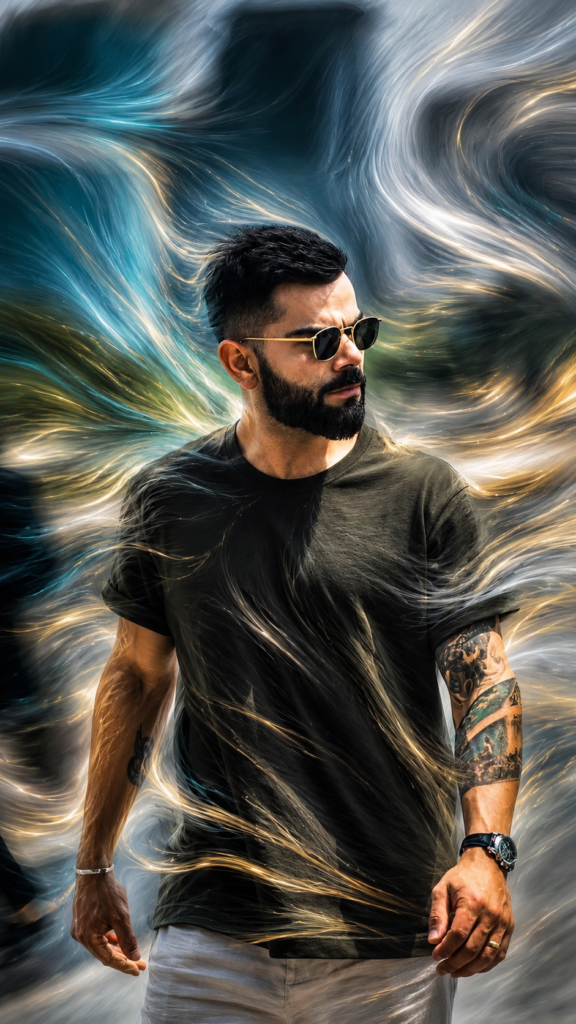
Prompt Style 3: Motion Flow Effect
One reason this prompt has become so popular is that it creates a futuristic look without becoming cartoonish.
The person remains completely recognizable while the environment transforms into something visually extraordinary.
Which AI Tools Work Best?
The good news is that these prompts aren’t limited to a single platform.
They perform well across many modern AI image generators, including:
- ChatGPT Image Generation
- Google Gemini
- Nano Banana
- Midjourney
- Flux
- Stable Diffusion
Each platform has its own strengths. Some produce better lighting, while others excel at realism or artistic effects.
However, the overall prompt structure remains surprisingly similar across all of them.
Tips for Better AI Portraits
Even the best prompt won’t produce amazing results if the reference photo is poor.
To maximize quality, follow these simple recommendations:
1. Use a High-Resolution Photo
The clearer your original image, the more facial details the AI can preserve.
2. Choose Natural Lighting
Photos taken in daylight usually generate more realistic results than images captured in dark environments.
3. Keep Your Face Visible
Avoid heavy sunglasses, face masks, or objects covering your face unless that’s part of the intended style.
4. Mention Identity Preservation
Always include instructions telling the AI to preserve your face and facial structure.
5. Be Specific About Lighting
Instead of saying “good lighting,” describe the lighting style. For example:
- Golden hour
- Cinematic warm lighting
- Moody studio lighting
- Soft diffused daylight
Specific prompts almost always produce better results.
The Future of AI Photography
AI-generated photography is improving at an incredible pace.
Every few months, new models become better at realism, lighting, facial consistency, and artistic control.
What once required professional photographers, expensive equipment, and advanced editing skills can now be achieved using thoughtfully written prompts and modern AI tools.
However, one thing remains constant: the quality of the prompt determines the quality of the image.
A great AI model paired with a weak prompt often produces average results, while a carefully engineered prompt can transform an ordinary photo into something that looks ready for a magazine cover.
Final Thoughts
Creating cinematic AI portraits is no longer reserved for professionals. With the right prompts, anyone can generate stunning, realistic images that preserve their identity while adding a premium, artistic touch.
The three prompt styles discussed in this article—Ultra-Realistic Fashion Portrait, Cinematic Grass Field Portrait, and Motion Flow Effect—are among the most effective and visually striking options available today. Each offers a unique aesthetic, from luxury editorial vibes to peaceful outdoor storytelling and futuristic motion art.
If your goal is to stand out on Instagram, elevate your personal brand, or simply experiment with the latest AI trends, these prompts are an excellent place to start. Remember, the best results come from combining a high-quality reference photo with detailed instructions that prioritize realism and facial identity preservation.
As AI technology continues to evolve, mastering prompt writing will become an increasingly valuable skill. Start experimenting, refine your prompts, and don’t be afraid to test different styles. You may be surprised at how close AI can come to producing studio-quality photography—while still looking unmistakably like you.
Frequently Asked Questions (FAQs)
1. Can AI generate realistic portraits without changing my face?
Yes. By using prompts that emphasize facial identity preservation, modern AI models can create realistic portraits while keeping your facial features recognizable.
2. Which AI image generator is best for cinematic portraits?
Popular options include ChatGPT Image Generation, Google Gemini, Midjourney, Flux, Stable Diffusion, and Nano Banana. The best choice depends on your preferred style and workflow.
3. Why do AI-generated images sometimes look like a different person?
This usually happens when the prompt focuses only on style and doesn’t instruct the AI to preserve your facial identity and structure.
4. Can beginners use these AI prompts?
Absolutely. Most AI image generators are designed to be user-friendly, and detailed prompts help beginners achieve professional-looking results without advanced editing skills.
5. Are these prompts suitable for social media content?
Yes. These prompt styles are ideal for Instagram posts, Reels covers, YouTube thumbnails, LinkedIn profile pictures, portfolio websites, and personal branding content.