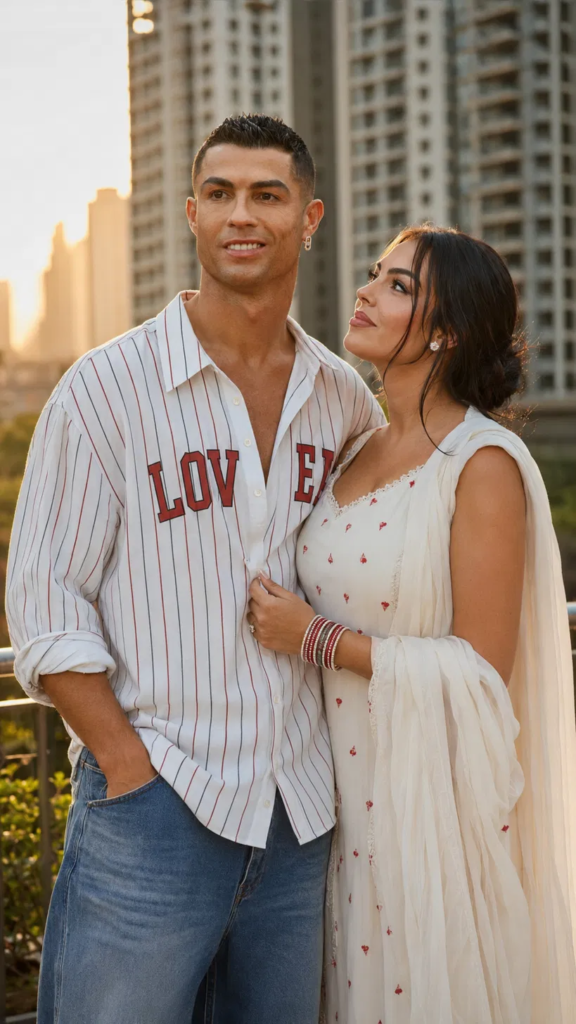
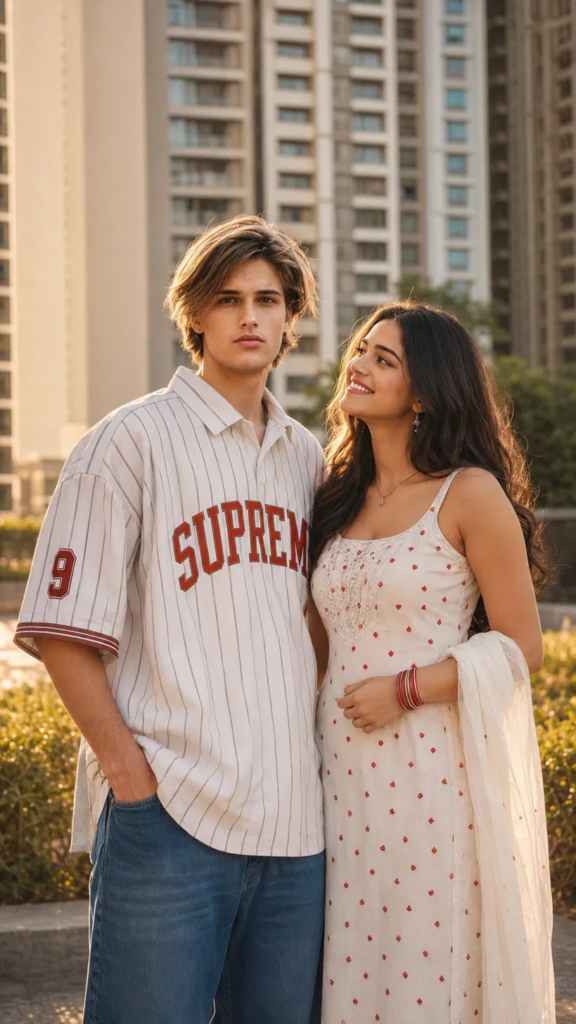
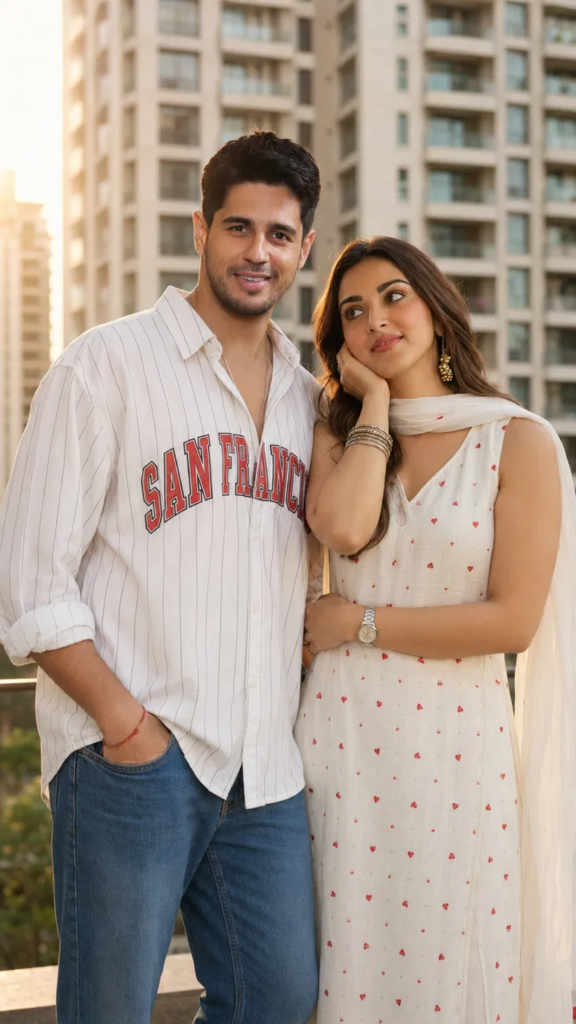
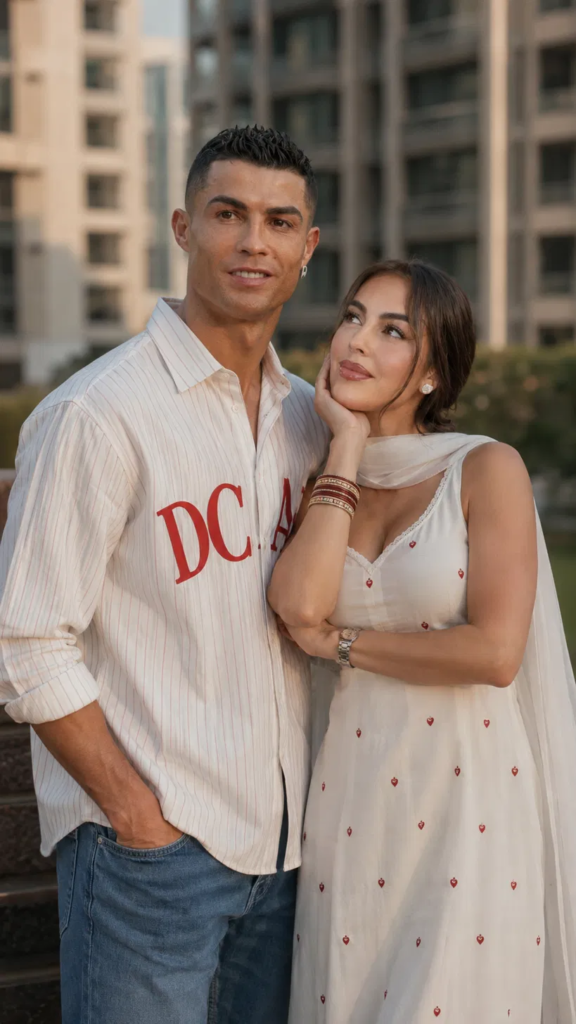
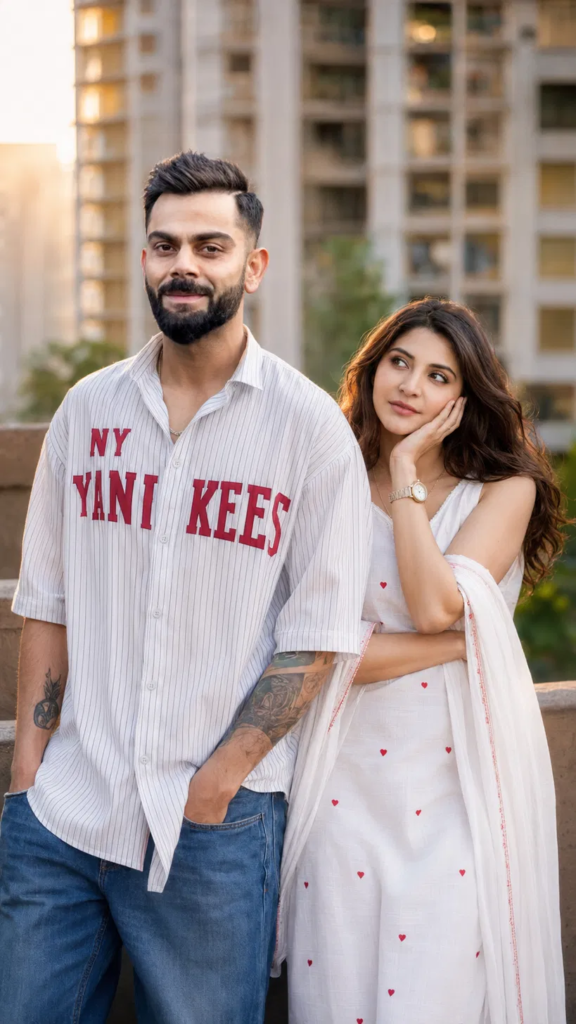
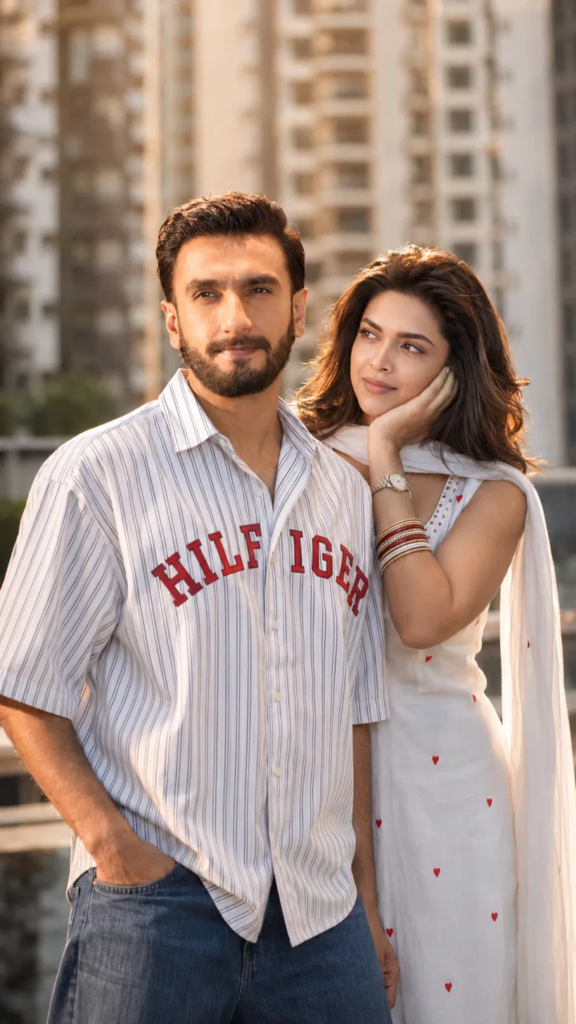
If you’ve scrolled Instagram or Pinterest in the last few weeks, you’ve probably seen it: a couple standing on a rooftop at golden hour, the guy in an oversized pinstripe shirt with bold varsity-style text across the chest, hands in his jeans pockets, looking off to the side — while she rests her cheek on her hand, gazing up at him, wearing a cream dress dotted with tiny red hearts and a matching dupatta draped over one arm.
It’s everywhere. And the reason it’s everywhere isn’t luck — it’s a prompt template. Once you understand the formula, you can generate this exact aesthetic for any two faces, any brand text on the shirt, any city skyline in the background.
Here’s the full breakdown.
Why This Template Went Viral
Three things make this style so shareable and so easy to replicate at scale:
- A consistent “set.” Same rooftop, same soft high-rise skyline blurred in the background, same warm backlight — so every image in a series feels like part of one shoot.
- A repeatable pose pair. He stands relaxed, hands in pockets, looking away or at camera. She leans into him, cheek resting on her palm, eyes up. The asymmetry reads as candid, not staged.
- A customizable “hook.” The text on his shirt is the variable — a sports team, a brand name, a word like “LOVE” split across the chest. That’s the part people screenshot and caption.
This is what makes it perfect for niche pages, meme accounts, and couple-content creators: one master prompt, infinite variations.
Making It Work Across Different AI Tools
ChatGPT (Images) / Gemini: These handle natural-language prompts well — paste the combined version as-is. If the shirt text comes out garbled, isolate it: generate the image first, then ask specifically to “render the text ‘[X]’ clearly and legibly across the chest in bold red varsity font.”
Claude via image tools or connected apps: Works best when you separate the outfit description from the pose description as two distinct sentences, since it tends to blend adjacent descriptors otherwise.
Common Mistakes That Break the Aesthetic
- Skipping the lighting layer. Without “golden hour / warm backlighting / rim light,” most models default to flat midday light and the whole vibe falls apart.
- Overloading the shirt text prompt. Long phrases often render as garbled letters. Keep custom text under 3–4 words, and expect to regenerate a few times for clean typography.
- Forgetting depth of field. “Shallow depth of field” or an aperture value (f/1.8) is what makes the background towers blur into that soft bokeh instead of looking flat and pasted-in.
- Vague pose language. “Standing together” produces stiff, symmetrical results. Be specific about which hand does what — that’s what sells the candid feel.
Turning This Into a Content Series
If you’re building a page or product around this style, the real leverage isn’t one image — it’s the template. Once you have a master prompt saved, you can batch-generate variations by changing only:
- The text on the shirt
- The skin tone / hair color / styling of each subject
- The city skyline in the background
- The color of the dress print (swap red hearts for another motif)
That’s a full content calendar from one formula, and it’s exactly the kind of repeatable system that scales without redoing the creative work each time.
Want more tested prompt breakdowns like this one? [Link to your prompt pack / IG here.]